I am happy to inform you that a new version of Ab4d.SharpEngine has been published.
The major new features of this version are:
- added support for shadow rendering,
- added support for importing keyframe and skeletal animations,
- improved performance when used in Avalonia with Vulkan backend or WinForms apps.
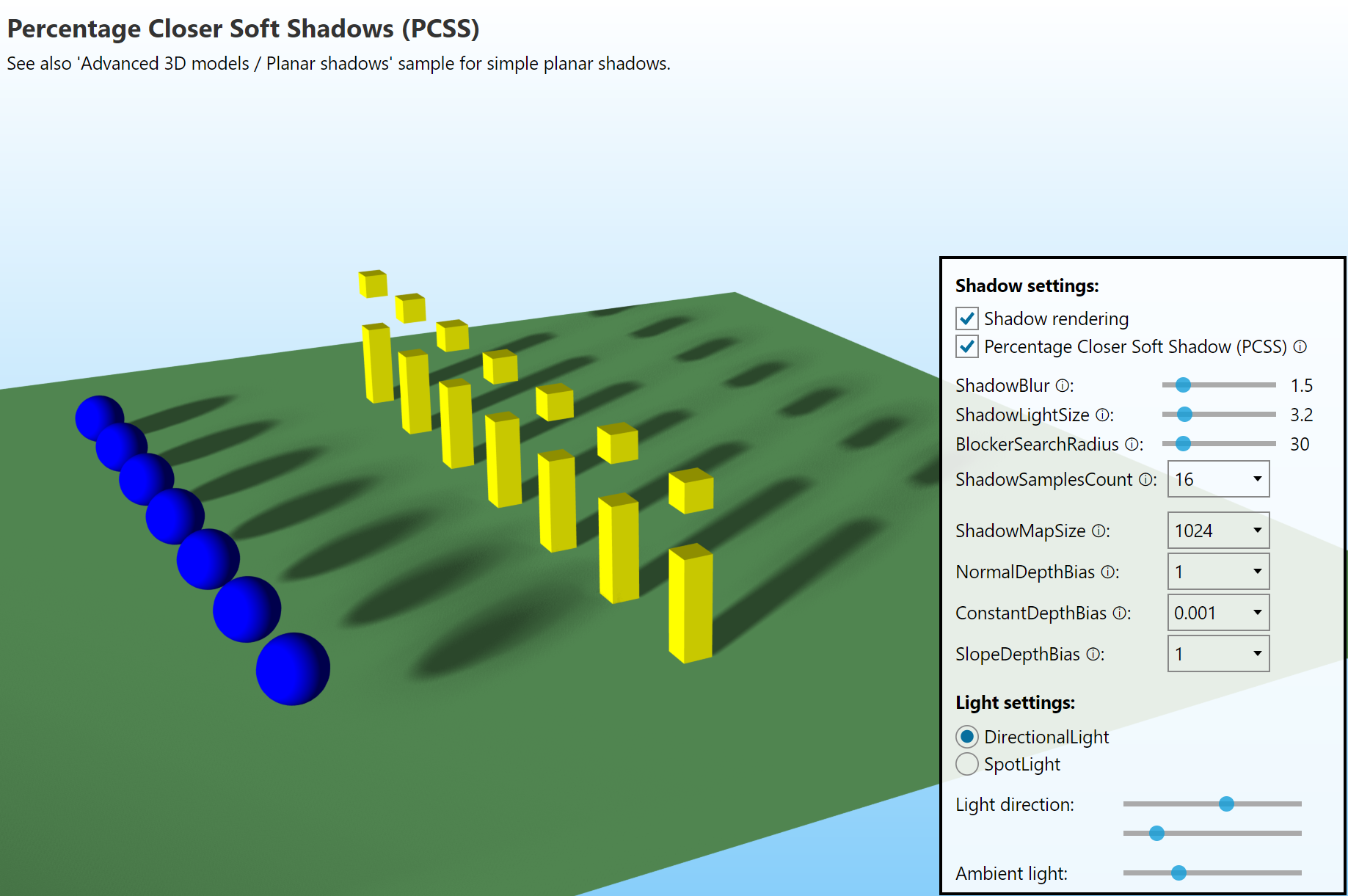
The main new feature is support for proper shadows. Before, the engine only supported rendering planar shadows. There the shadow was only visible on a 3D plane. But now with proper shadow support, the shadow can be rendered on all objects.
To make the shadows look as nice as possible without using ray tracing, the new version of Ab4d.SharpEngine uses Percentage Closer Soft Shadows (PCSS) algorithm. This can render realistic shadows where the shadow is sharp close to the shadow casting object and gets blurred when the distance increases. This creates a light penumbra. The penumbra amount is controlled by the ShadowLightSize parameter - small lights create harder shadows, and larger lights create more pronounced penumbra. See screenshots from the new sample:
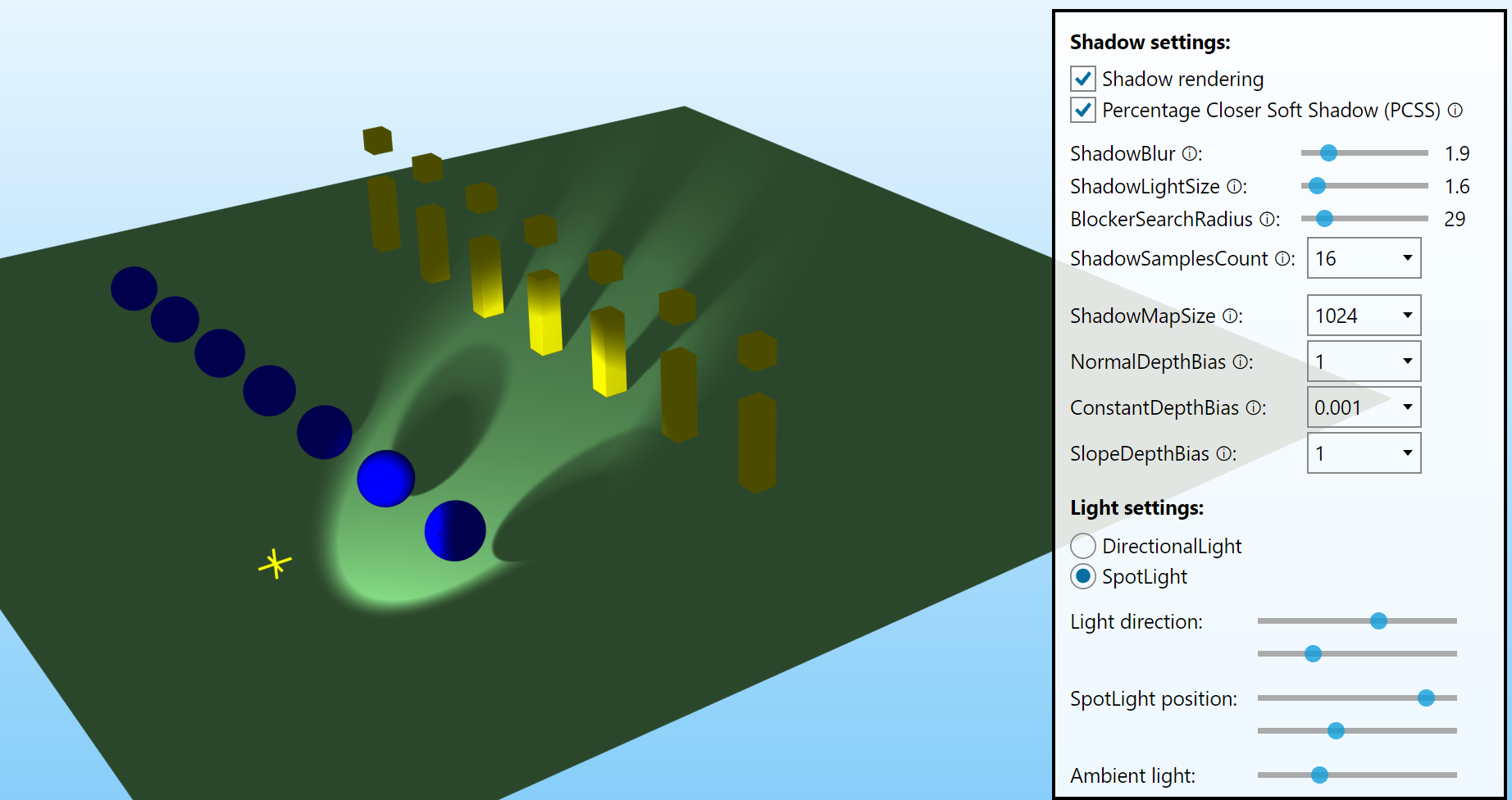
It is also possible to create a shadow from a SpotLight:
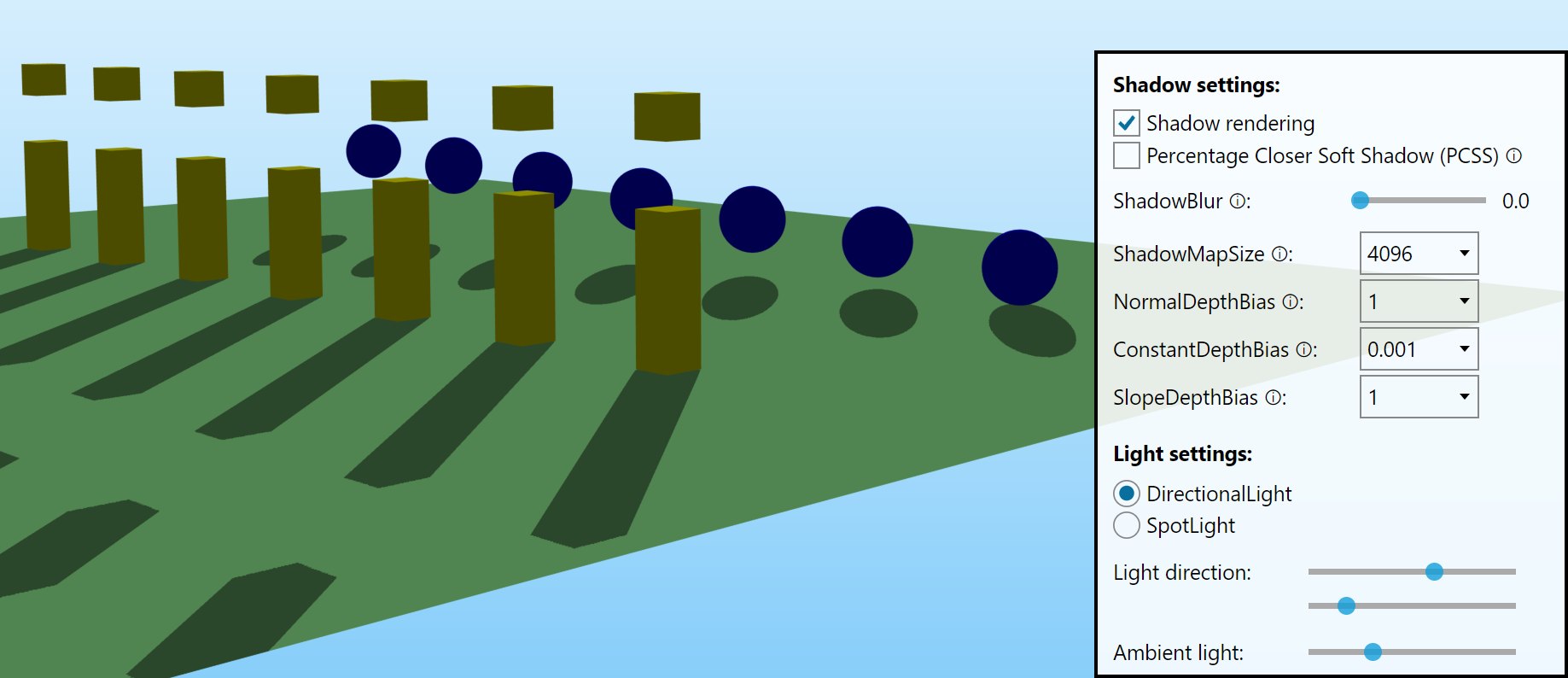
And when the ShadowLightSize is set to 0, this produces a hard shadow (in this case, it is good to increase the ShadowMapSize to create a more precise shadow):
Note that the default shadow settings may not work for all 3D scenes. If you are not satisfied with the shadow quality or you get shadow artifacts, such as shadow acne, you may need to adjust the ShadowConstantBias, ShadowSlopeBias and ShadowNormalBias properties to change the bias that may solve the problems. See the comments in the new shadow sample for more info.
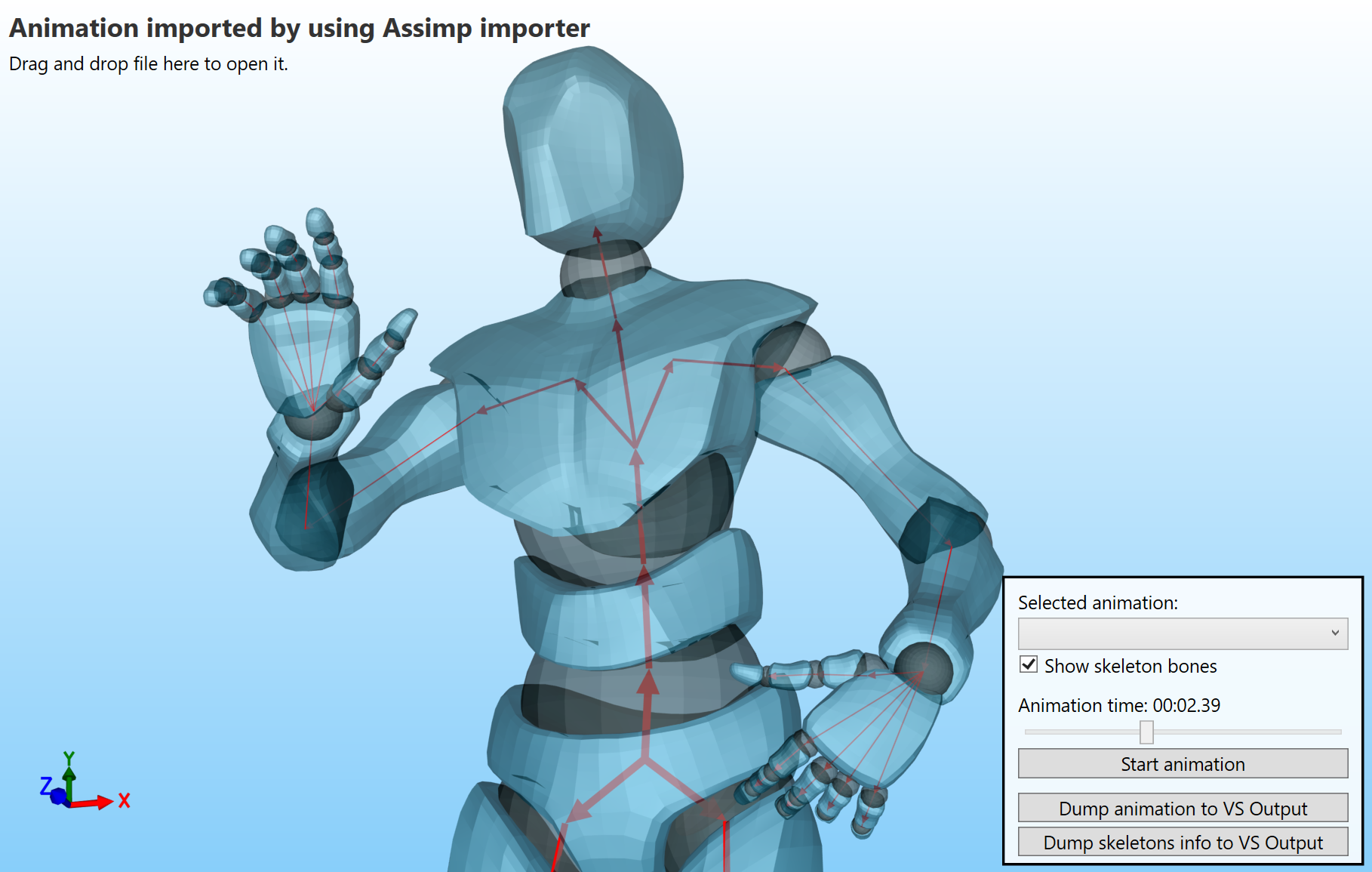
Another important new feature of the engine is support for importing keyframe and skeletal animations. Keyframe animations animate the object’s transformations (translate, scale, rotation). Skeletal animations animate individual mesh positions by animating the so-called skeleton - based on the position weight values, each position is then adjusted as the skeleton is animated.
The animations can be imported from glTF files by using Ab4d.SharpEngine.glTF library or from almost all other file formats by using a third-party Assimp importer and Ab4d.SharpEngine.Assimp library.
The following screenshot shows a sample skeletal animation (skeleton is shown with red lines):
If you are using Avalonia and are rendering complex 3D scenes, then you will be happy to learn that the new version provides significant performance improvement when using Avalonia with Vulkan backend (the Avalonia startup code in program.cs initializes the Avalonia to use Vulkan for rendering UI elements). In this case the SharpEngine does not do a back buffer copy operation and also does not wait for the rendering and copying to be finished. In the previous version rendering complex scenes may block the UI thread until rendering was done. Now waiting is done on the graphics card in the background. This makes the UI thread more responsive.
Also, when using WinForms, the performance is improved. What is more, in WinForms app the rendering process can be better controlled by the following new properties on SharpEngineSceneView class: RenderAsManyFramesAsPossible, RenderingTimerInterval and FramesPerSecond.
The last improved feature that I want to mention is improved FitIntoView functionality. When using an orthographic camera, it is quite easy to provide an accurate fit-into-view. But when using a perspective camera, I have not yet found a perfect algorithm. However, the new version improves the accuracy of the fit-into-view. It is still not perfect, but should work better than before.
There are also many smaller improvements and fixes. See the change log for more info.
The WebGL version of the engine did not get any special new features, but because both libraries use shared code, the new version now also supports importing keyframe and skeleton animations and improved FitIntoView (Percentage Closer Soft Shadows are not yet supported).